
Whether you’re collecting inspiration for a design project, saving product photos for research, archiving website images, or downloading wallpapers, grabbing images one by one can be slow and frustrating. That’s why many users turn to browser extensions that simplify the process of downloading multiple images from a webpage.
One of the most popular options for Chrome users is Download All Images Extension. This lightweight browser add-on helps users quickly detect and download images from websites without having to save each one individually. Featuring a user-friendly interface and built-in image filters, the extension makes downloading multiple images quick and straightforward.
In this guide, we’ll explore what Download All Images Extension is, how to use it, as well compare its advantages and disadvantages.
1. What Is Download All Images Extension?
Download All Images Extension is a Chrome browser extension designed to detect and download all images displayed on the current webpage. Instead of manually right-clicking and saving each image, users can download dozens—or even hundreds—of images with just a few clicks.
Key features of the Download All Images extension:
- Detects all images on the active webpage
- Downloads multiple images simultaneously
- Filters images by: Width/Height/File size/Image URL
- Preview images before downloading
- Choose specific images instead of downloading everything
- Supports common image formats including JPG, PNG, GIF, WebP, BMP, and SVG
The extension is especially useful for:
- Downloading images from blogs
- Saving product photos from online stores
- Collecting wallpapers
- Downloading illustrations
- Research and educational purposes
- Building personal image collections
Since it works directly inside Chrome, there’s no need to install separate desktop software for simple downloading tasks.
3. How to Use Download All Images Extension?
Using Download All Images Extension is straightforward. Here’s a step-by-step guide.
步骤 1:安装扩展
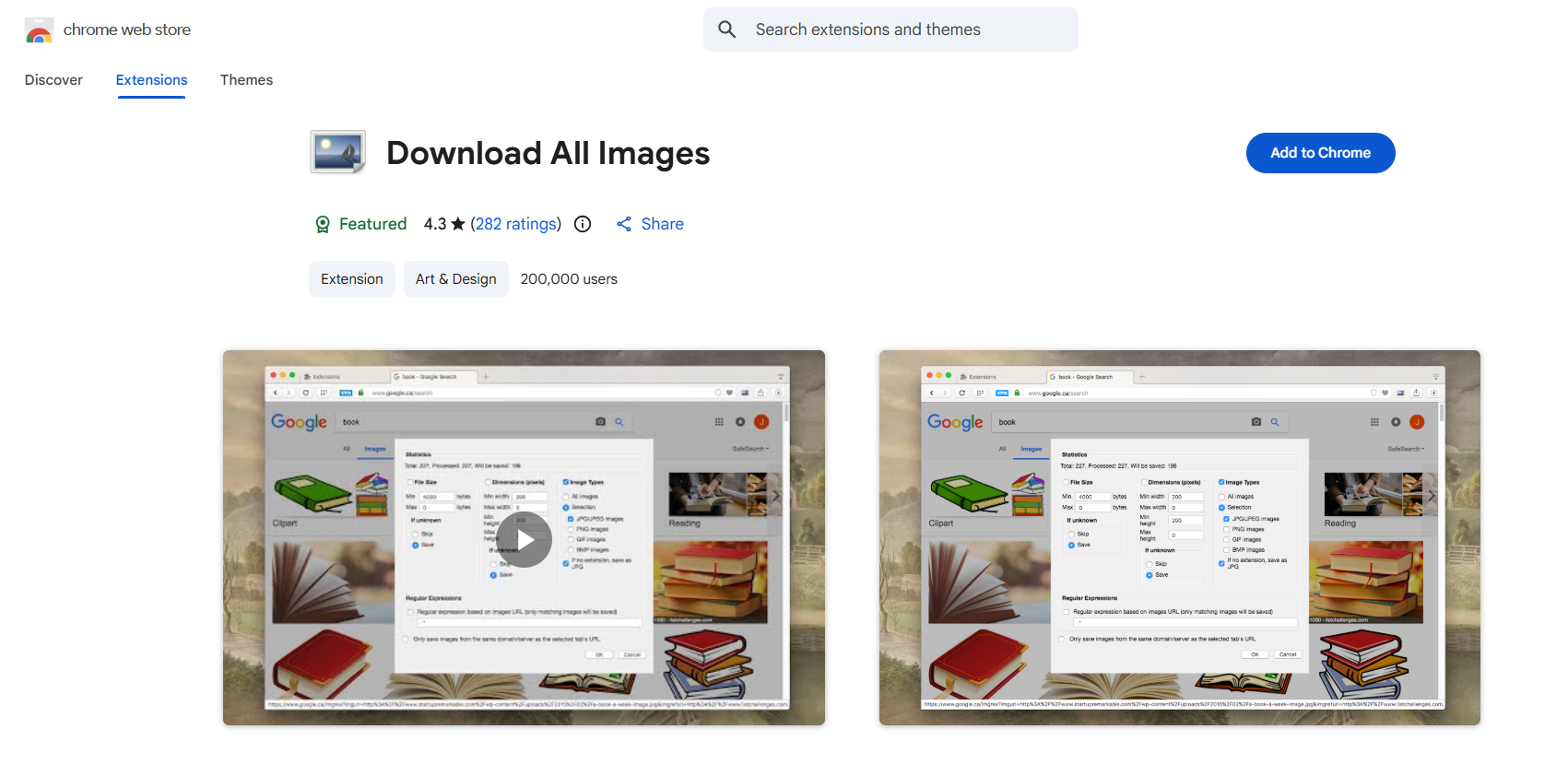
Open the Chrome Web Store and search for Download All Images, click Add to Chrome, then confirm by selecting Add Extension. Once installed, the extension icon appears in your browser toolbar.
Step 2: Visit a Webpage & Launch Extension
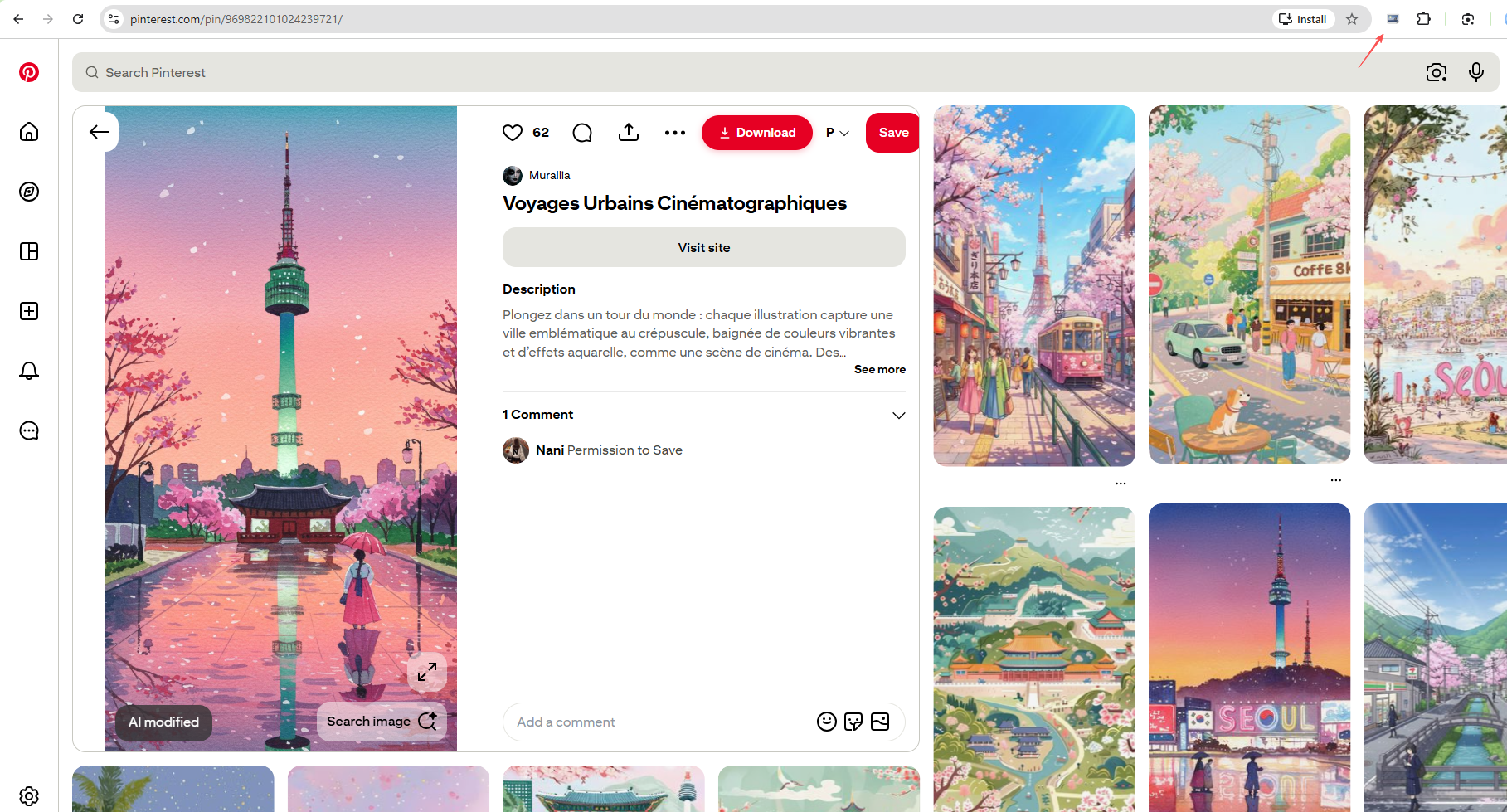
Navigate to the webpage containing the images you’d like to download. Wait until the page has fully loaded so the extension can detect all available images.
Click the Download All Images icon in the Chrome toolbar. The extension scans the current webpage and displays thumbnails of all detected images.
Step 3: Filter & Choose Images
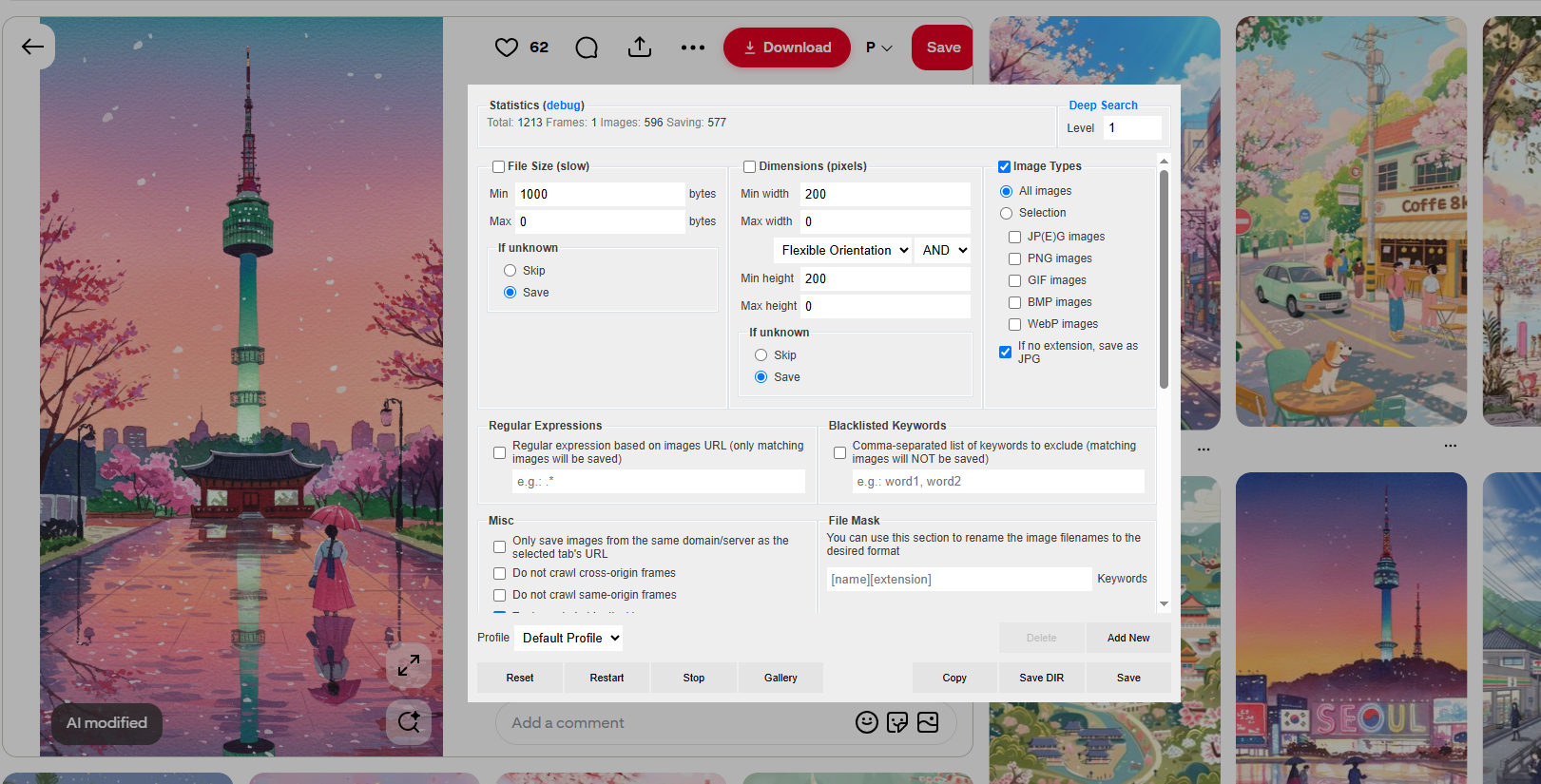
If the webpage contains hundreds of images, you can narrow the results using filters such as:
- Minimum width
- Minimum height
- File size
- Image type
- Image URL
These filters help remove icons, logos, buttons, and other unwanted images.
Choose:
- All images
- Individual images
- Images that meet your filtering criteria
Preview thumbnails before downloading to ensure you’ve selected the correct files.
Step 4: Download
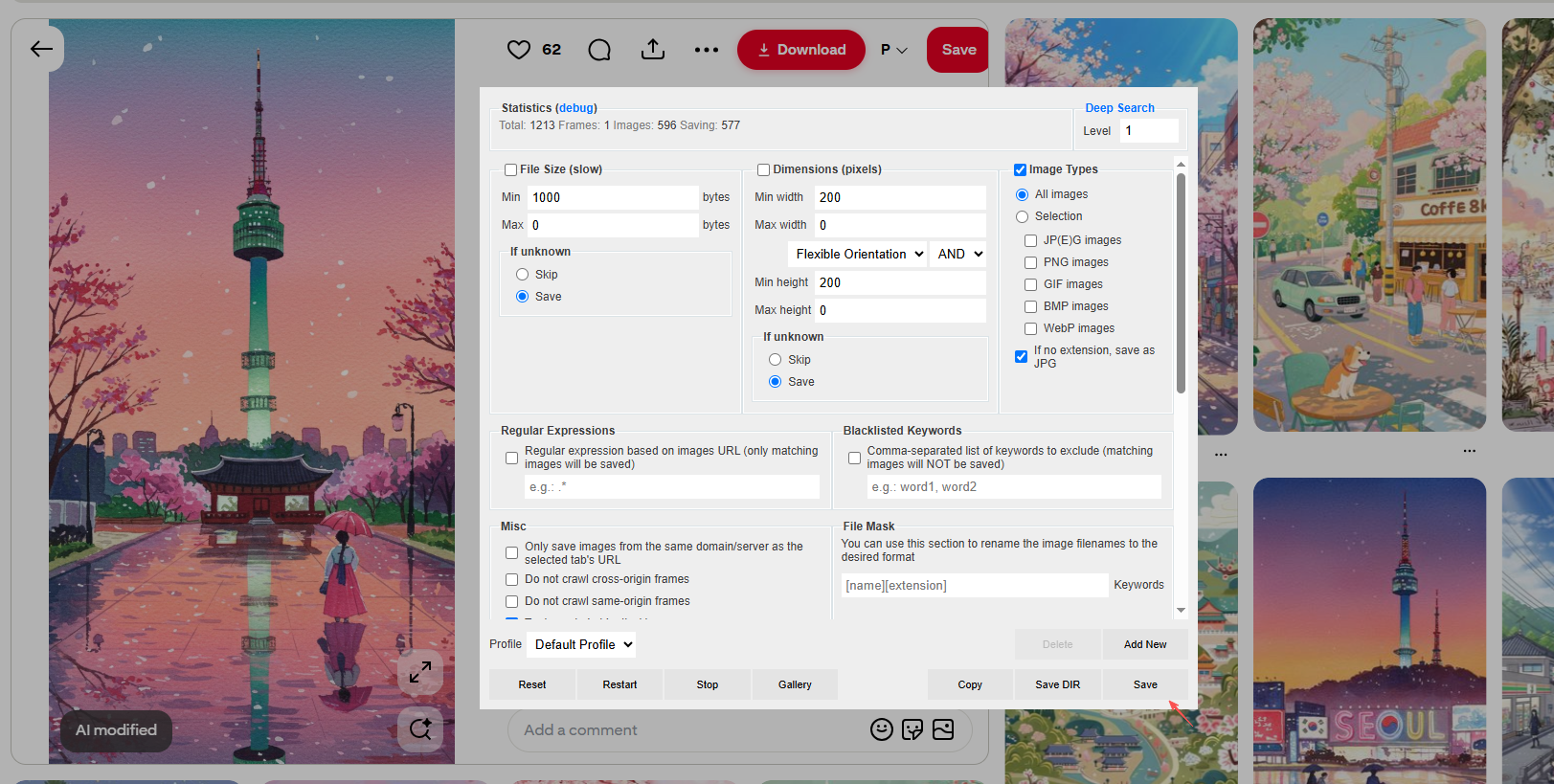
Click Save and the extension will download the selected images to your default Downloads folder.
Depending on your Chrome settings, you may be prompted to choose a save location.
3. Pros and Cons of Download All Images Extension
Like most browser extensions, Download All Images has both pros and cons.
优点:
- Easy to install and use
- Free for basic image downloading
- Downloads multiple images from a webpage at once
- Supports image filtering by size and dimensions
- Provides thumbnail previews before downloading
缺点:
- Works only on the current webpage
- May not detect images on dynamic or protected websites
- Limited bulk downloading and automation features
- No support for downloading from multiple URLs simultaneously
- Chrome-based browsers only
4. Try the Ultimate Bulk Image Downloader – Imaget
If you frequently download images from websites, social media platforms, online galleries, or creator websites, Imaget is a much more capable solution than a browser extension.
Unlike Download All Images Extension, Imaget is a dedicated desktop application built specifically for high-speed, large-scale image downloading.
主要特点 Imaget :
- Bulk download images from thousands of websites
- Batch download from multiple URLs
- Download images in original quality
- Built-in browser to access private or subscribed images
- Supports popular formats like JPG, PNG, GIF, WebP, and more original formats
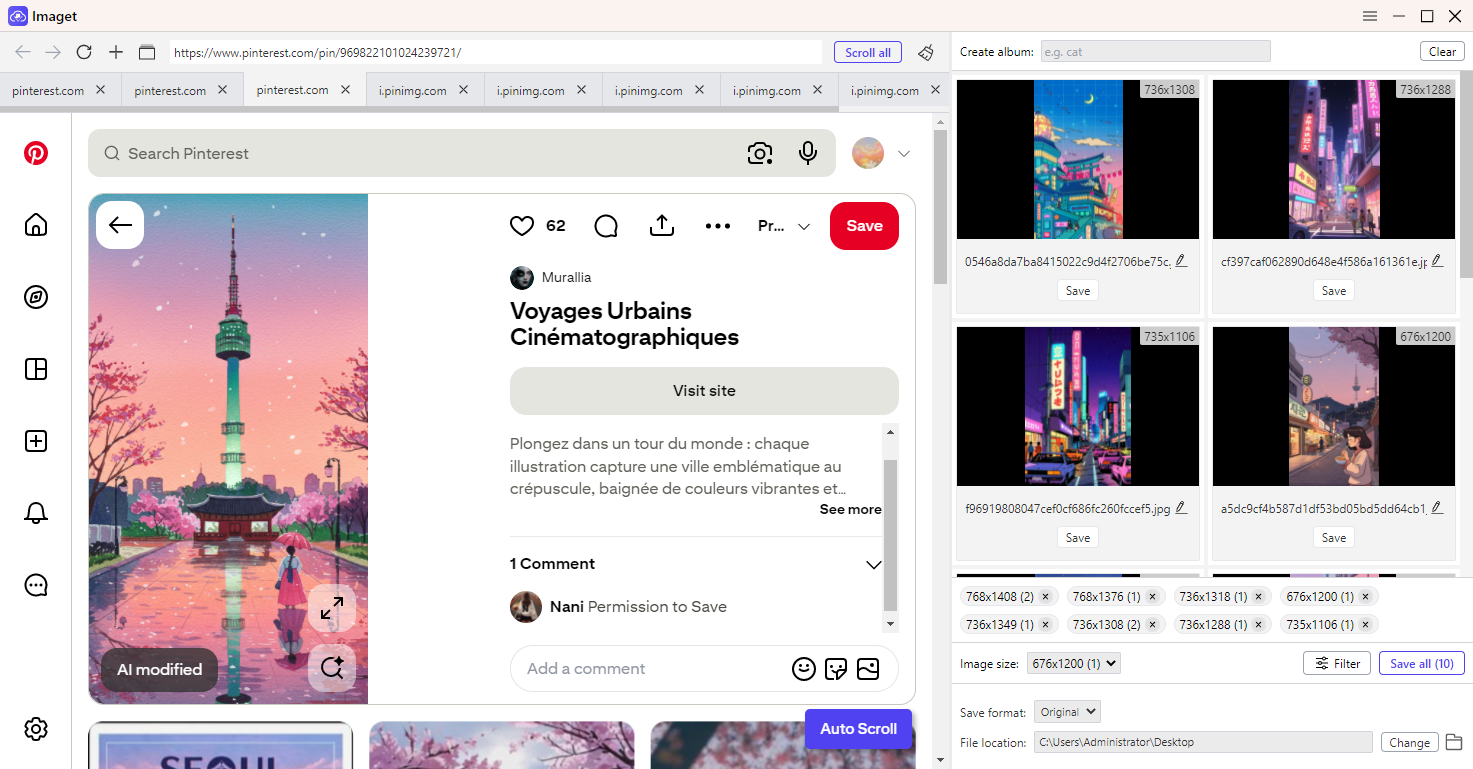
使用 Imaget is remarkably simple with these steps:
- 安装并启动 Imaget 。
- Copy the webpage, gallery, or profile URL, then paste it into Imaget to access the content.
- Scroll page to let Imaget scan for available images, then filter and select the images you want.
- Set output format and file locations, then click Save all and let Imaget save everything in its original quality.
5. 结论
Download All Images Extension is a simple and convenient browser tool for downloading multiple images from a single webpage. The extension is easy to navigate and performs well for basic image downloading tasks on most websites. However, its browser-based design limits its ability to handle large-scale downloads, dynamic websites, and password-protected content.
If you need a more powerful and reliable solution, Imaget is an excellent alternative. With support for bulk downloads, original-quality images, entire galleries, multiple URLs, and thousands of websites, Imaget offers a faster and more efficient way to build and manage large image collections. For users who frequently download images, Imaget is the better long-term choice.